← Building Campaigns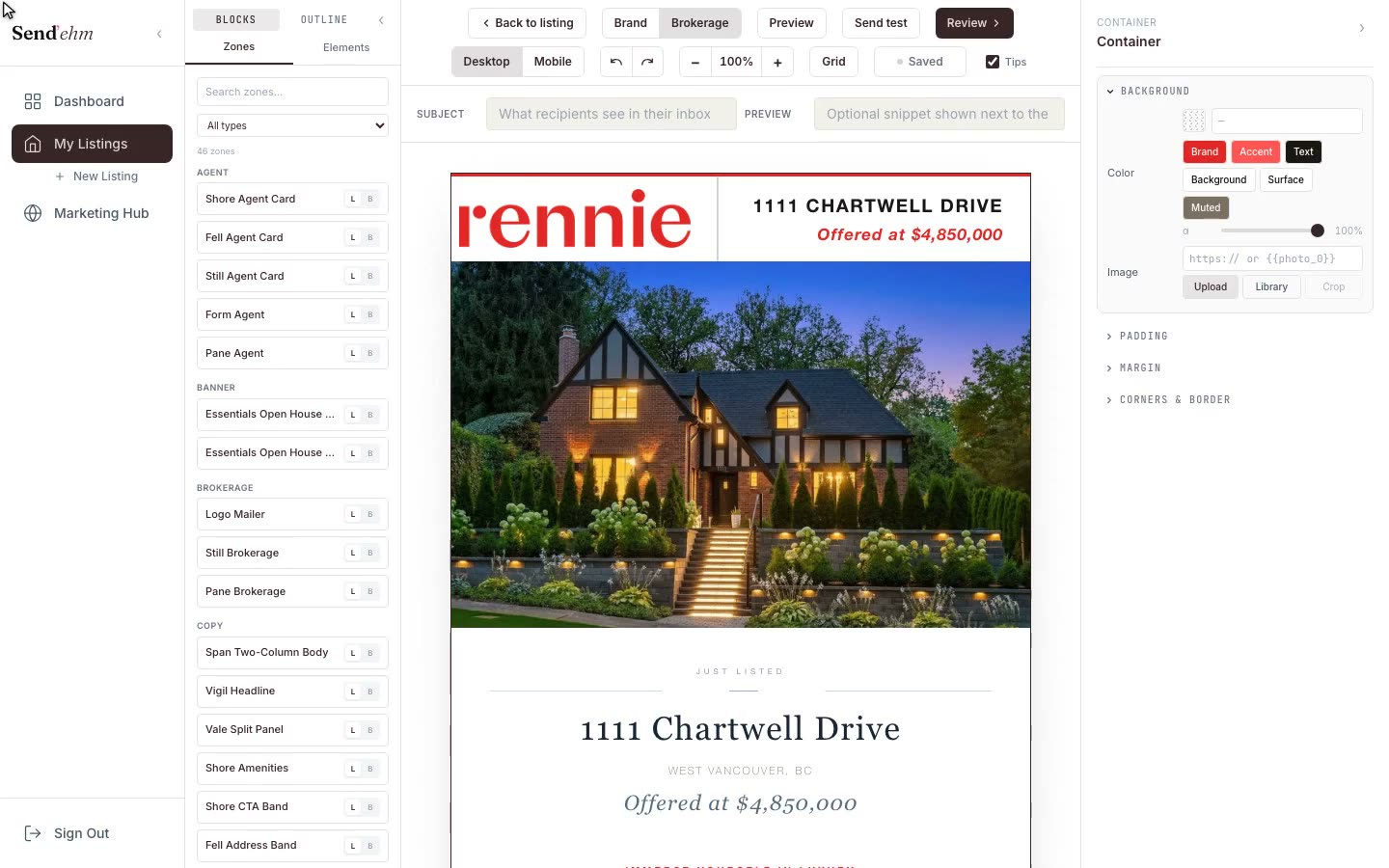
The editor: change any block, drop in your photos, and preview before you send.
How do I edit the email and add photos?
Change any block (copy, photos, layout) in the editor. Set the framing and focal point on each photo so it fits cleanly across email clients.
In the editor you can change any block (copy, photos, or layout) directly.
- Add your listing photos to the image blocks.
- Set the framing and focal point on each photo so the important part stays visible when the layout crops it.
- Preview to see exactly how it renders before you send.
Still stuck? Email support@sendehm.com.